Interview
Senior emergency nurse
Walked us through real alarm handling, workflow and where settings get skipped.
← Work / Alarmease
Healthcare · Service & behavioural design
A behavioural support system that makes monitor-threshold status visible, so emergency nurses can cut alarm noise at its source.
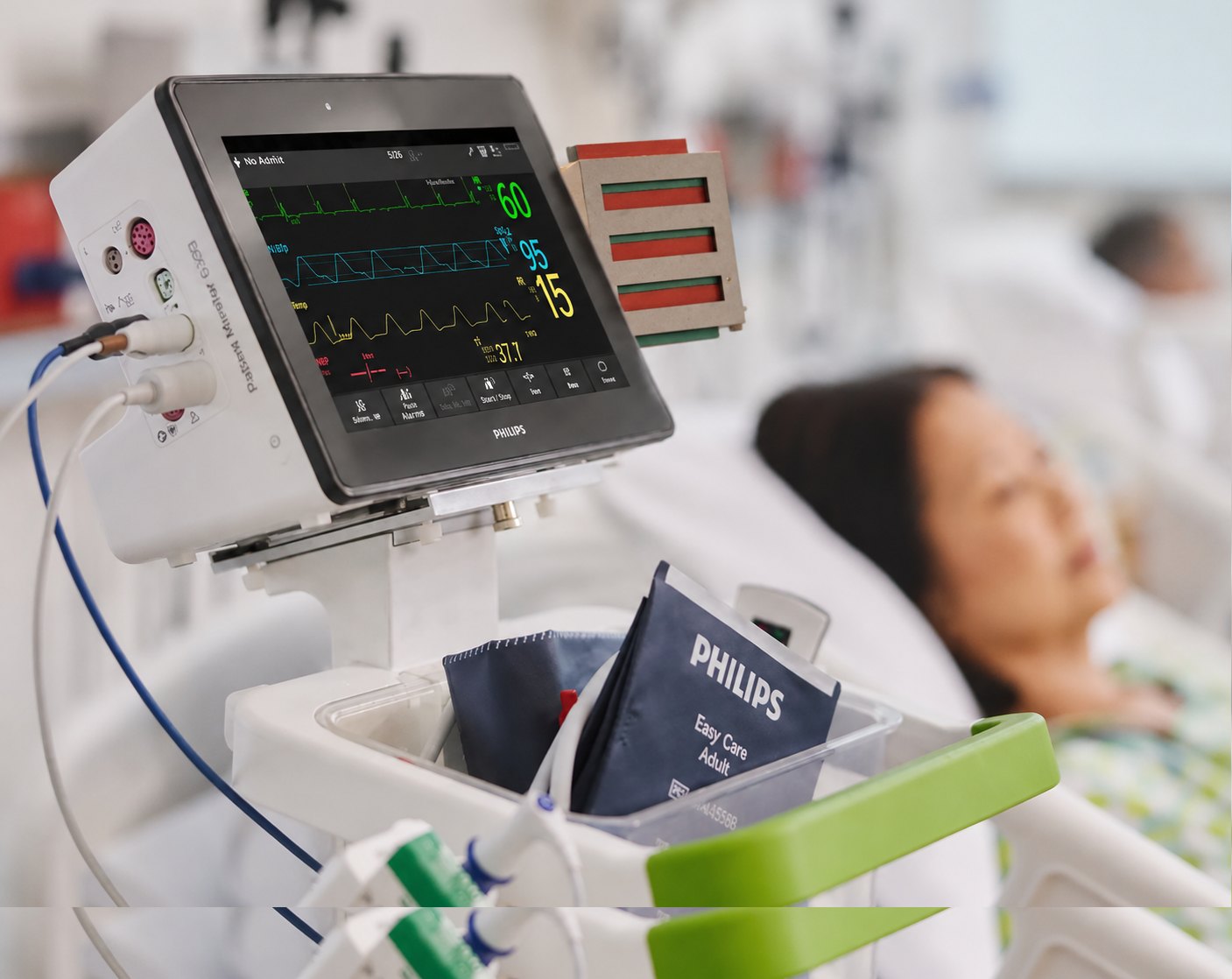
The context72–99% of clinical alarms are false or clinically insignificant — yet every one still has to be interpreted by a nurse.
01What the field told us
Interview
Walked us through real alarm handling, workflow and where settings get skipped.
Observation
Mapped how nurses move between beds, the central station and competing alarms.
Rapid feedback
"Adjusting limits for alarms" and "responding to alarms" drew the most overwhelmed responses.
Nurses lean on context, not the alarm itself.
Threshold adjustment is known — but underused.
Every extra alert adds cognitive load.
Support only works if it fits the workflow.
The reframe · after the research
The problem wasn't alarm volume. It was threshold personalisation.
"How might we help nurses apply patient-specific threshold-setting at the right moment — without adding another layer of cognitive load?"
The reframed design question
02Why it happens upstream
Instead of redesigning the alarm, we looked at what makes so many alarms in the first place: monitors left on generic settings.
Personalising thresholds to the patient is the one move that reduces the noise at its source — not after it has already fired.
03Design judgement
A smarter alarm is still another thing to manage. The strongest directions were the ones that asked the least of an already overloaded nurse.
Why — hides clinical reasoning and risks oversimplifying overlapping conditions.
Why — moves alarm fatigue into yet another channel to charge, wear and check.
Why — more interruption. The root cause is too many signals, not quiet ones.
Why — promising at the source, but beyond the integration scope available with Philips.
04The filter we designed against
EvidenceMost alarms are non-actionable.
InterpretationA louder alarm won't fix noise.
DecisionSupport threshold personalisation.
EvidenceNurses juggle screens, phones, talk.
InterpretationAnother signal = more switching.
DecisionAdd information, not alerts.
EvidenceConditions overlap and change.
InterpretationAutomation can oversimplify.
DecisionMake the action easier, not automatic.
EvidenceNurses act beside the monitor.
InterpretationA distant dashboard is too far.
DecisionStatus lives at the bedside.
EvidenceBehaviour repeats when results show.
InterpretationA cue alone doesn't close the loop.
DecisionFeed back the effect on alarms.
05The concept
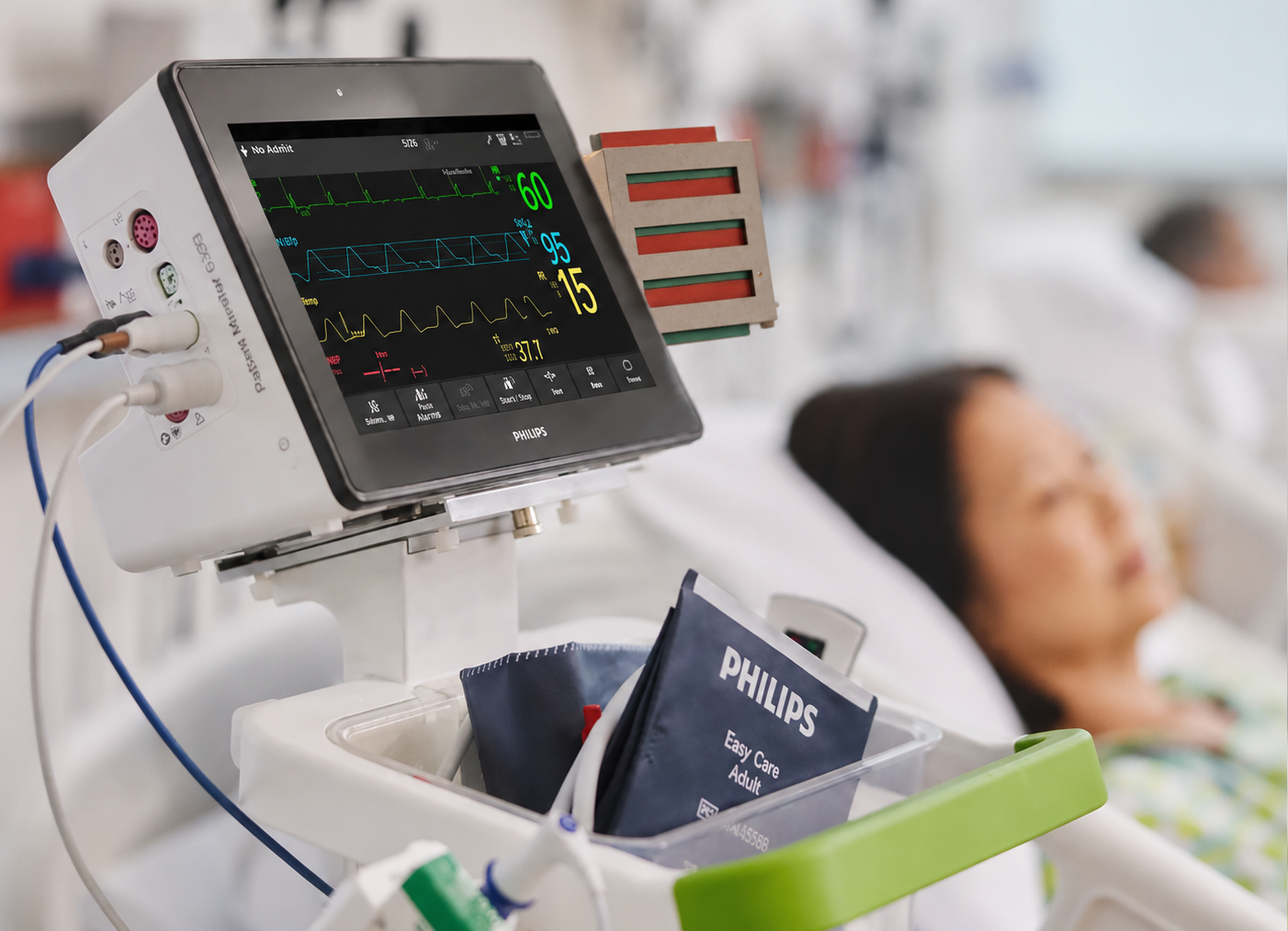
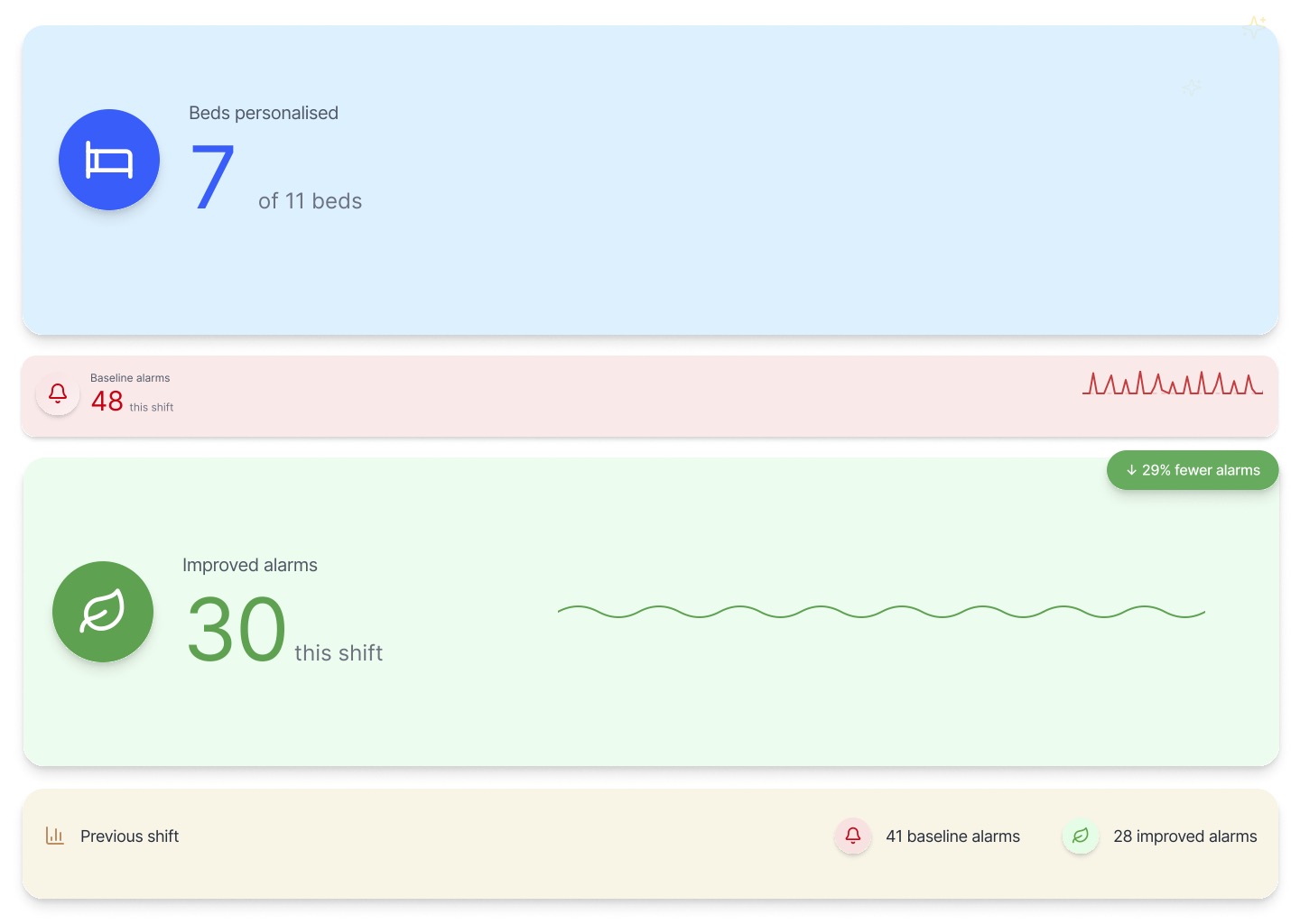
ILLUSTRATIVE PROTOTYPE DATAThe bedside cue supports action at the point of care; the data visualisation makes its effect visible at team level. Together they form one behavioural feedback loop.
—How Alarmease works
06The trigger
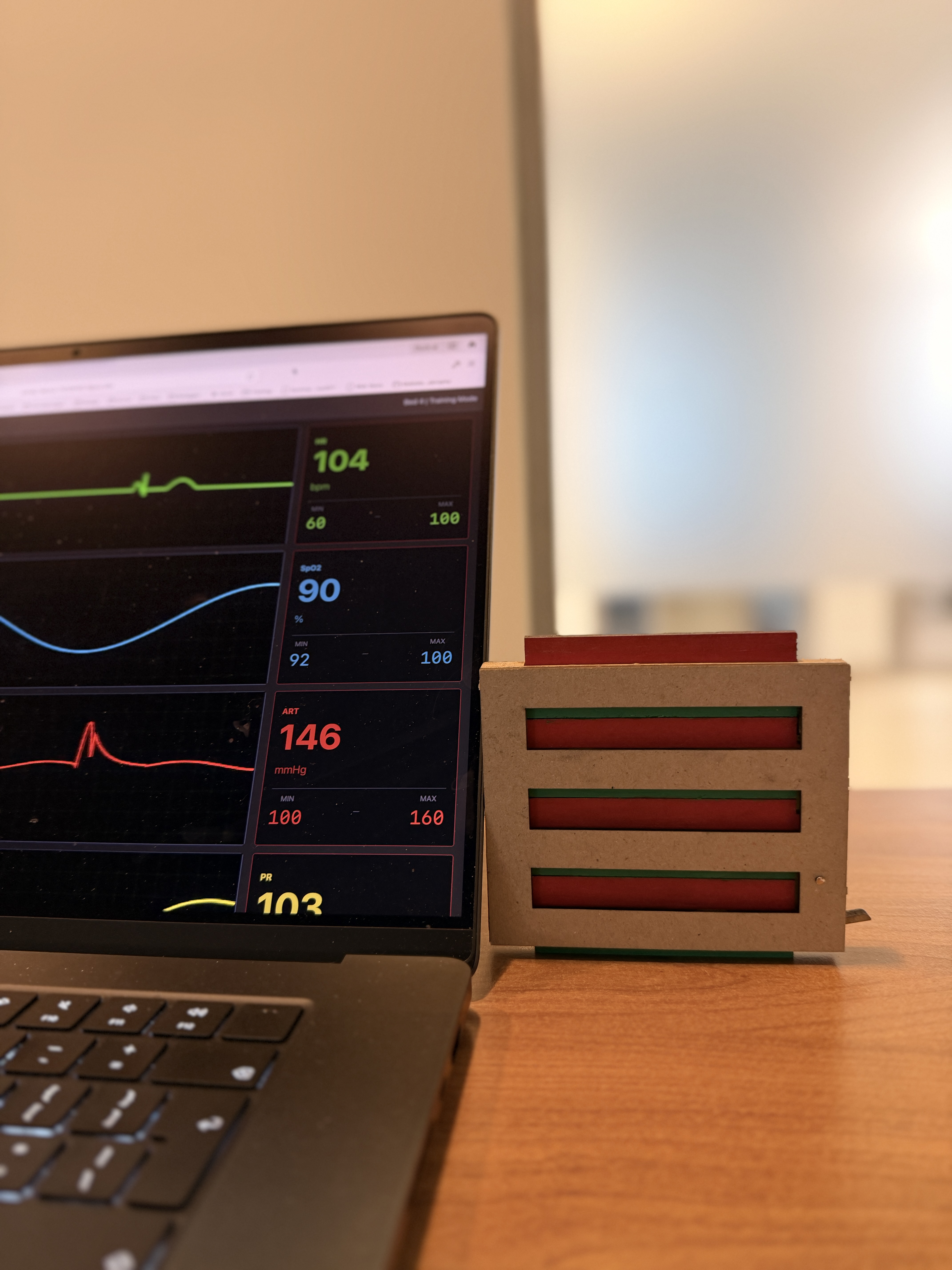
Prototype, not productTested as a physical cue to prove the behaviour. A future version integrates the status directly into the Philips monitor — so nothing is updated twice.
07My strongest contribution
The feedback layer had to show the effect of personalisation — without feeling like it was judging nurses who were already doing their best.
Version 1 · Emotional
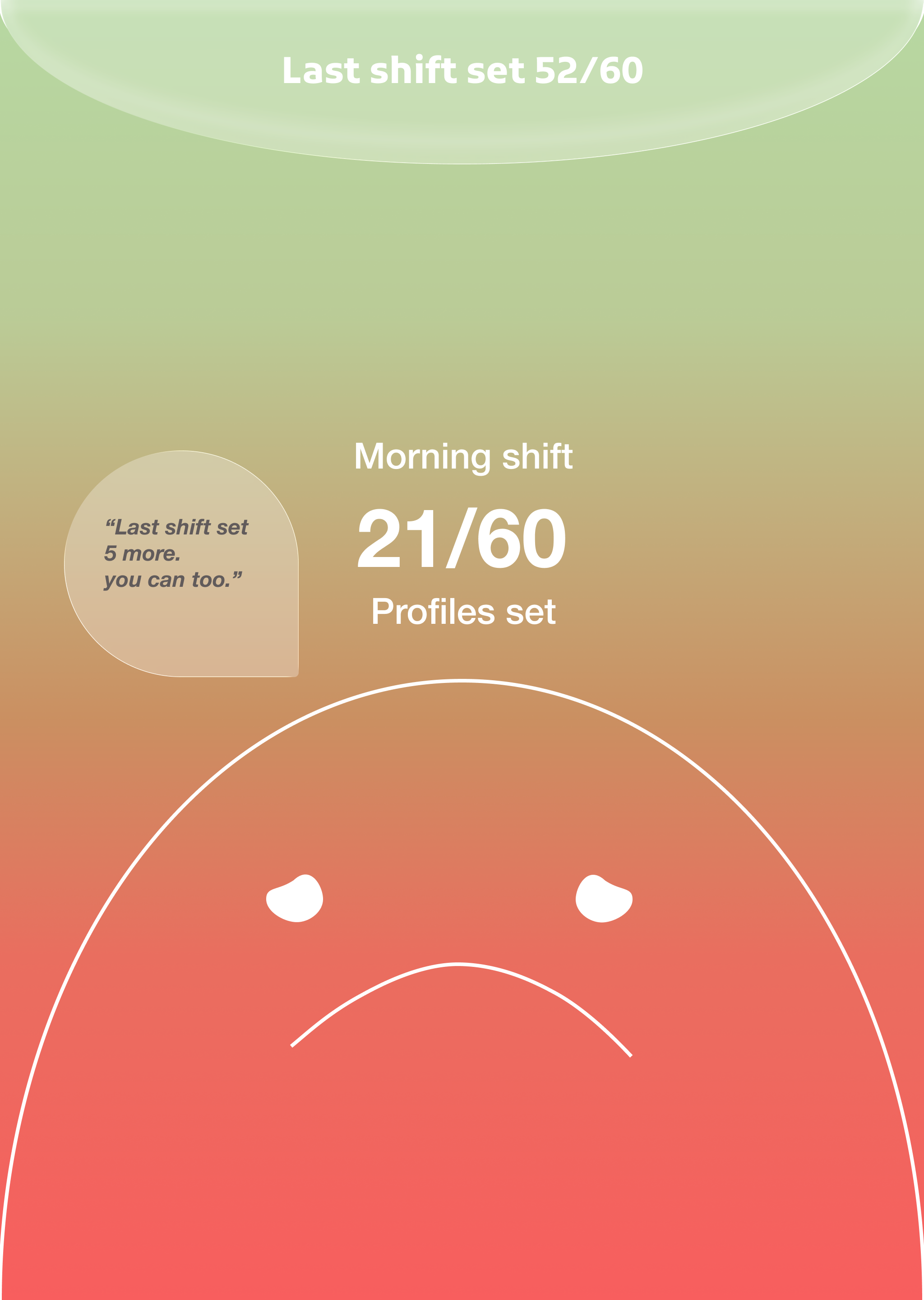
Critique: emotional feedback could read as blame during a stressful shift.
Version 2 · Operational
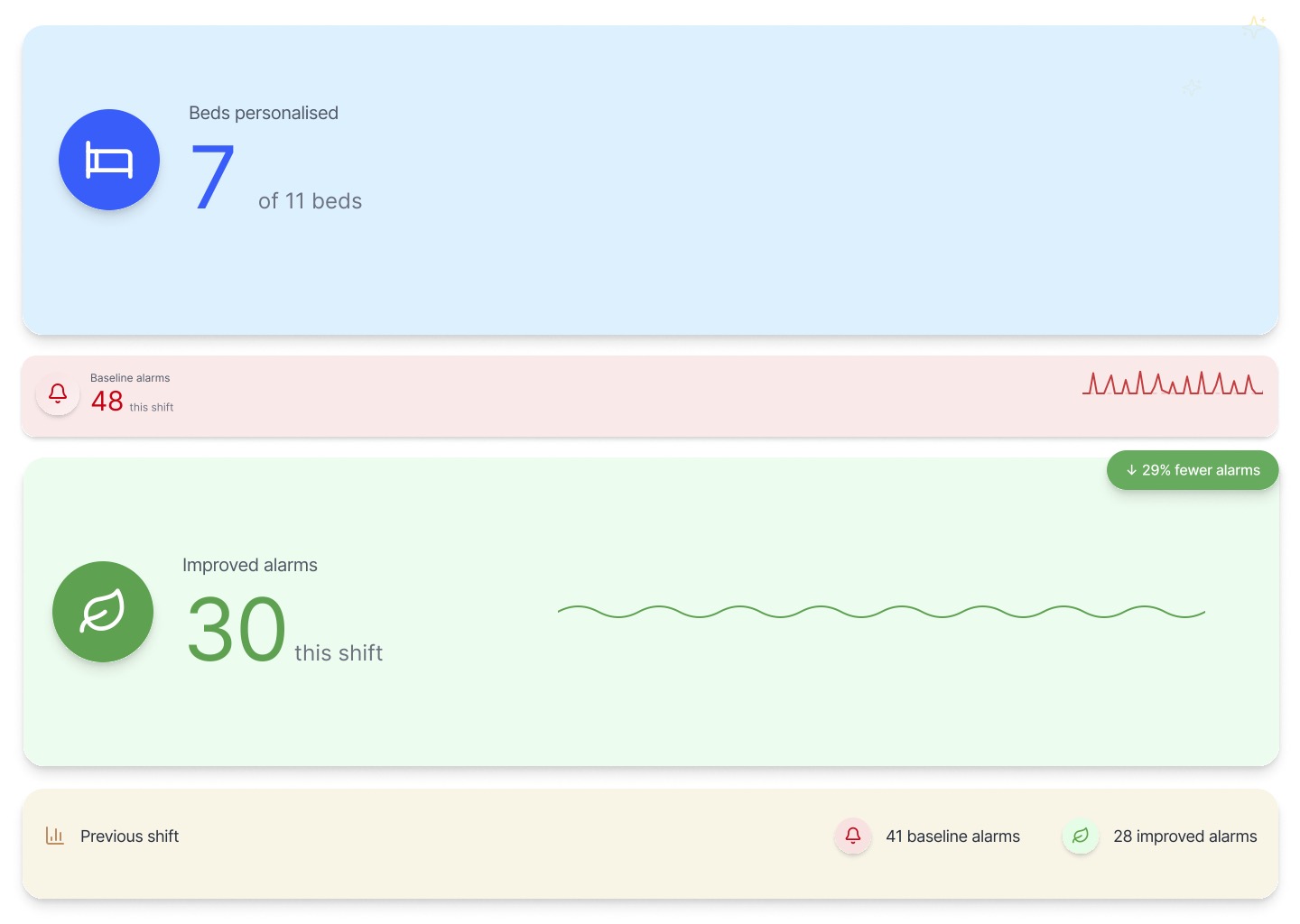
IllustrativeSame data, reframed around action — beds reviewed and alarm trend against the previous shift, built for clinicians.
1User feedback
“Emotional feedback felt judgemental during a stressful shift.”
2Interpretation
Nurses need practical information, not emotional evaluation.
3Design change
An operational dashboard — bed status and alarm trends, not moods.
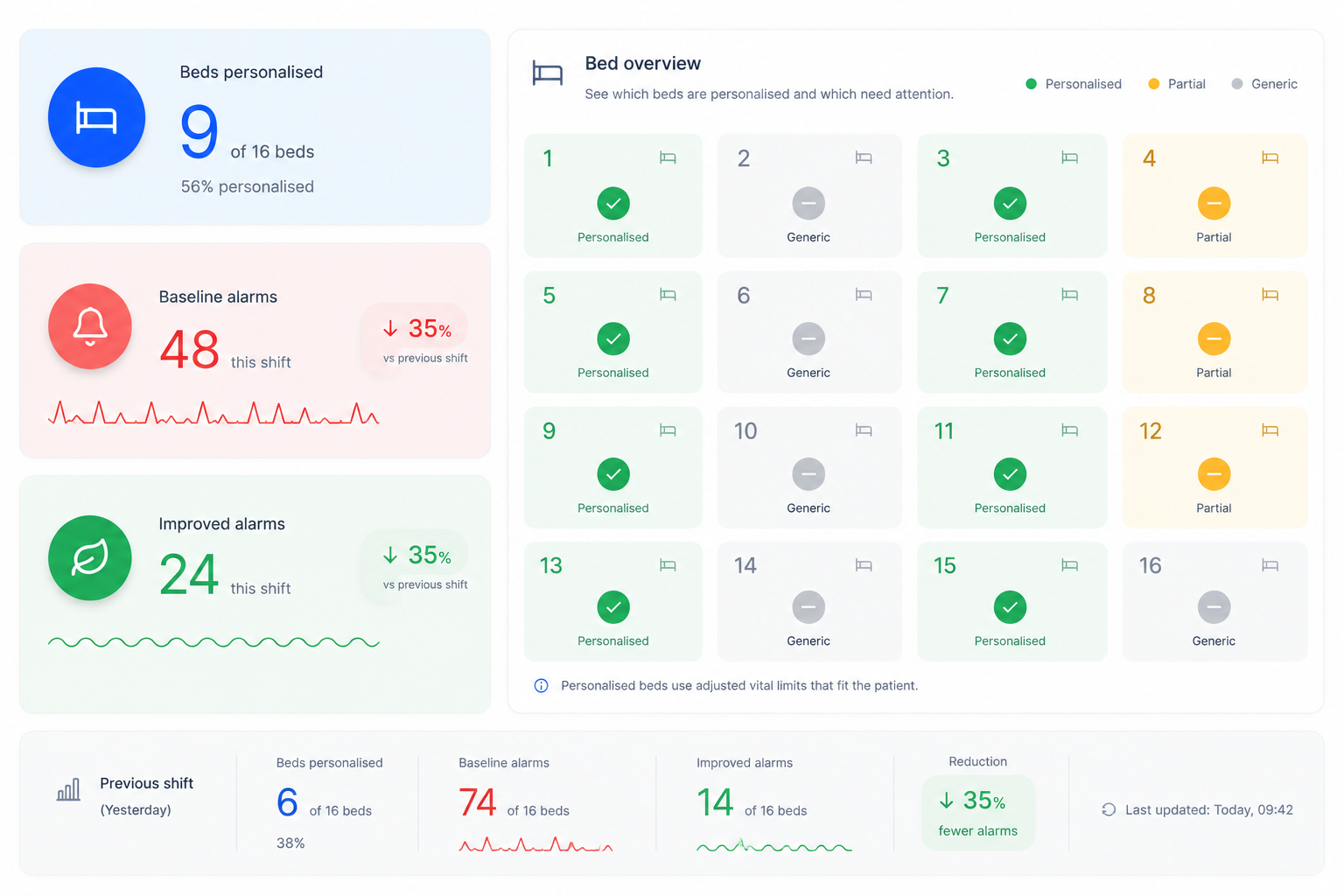
Bed level overview
08My role across the project
Phase 01
Phase 02
Phase 03 · led
Phase 04
09What testing showed
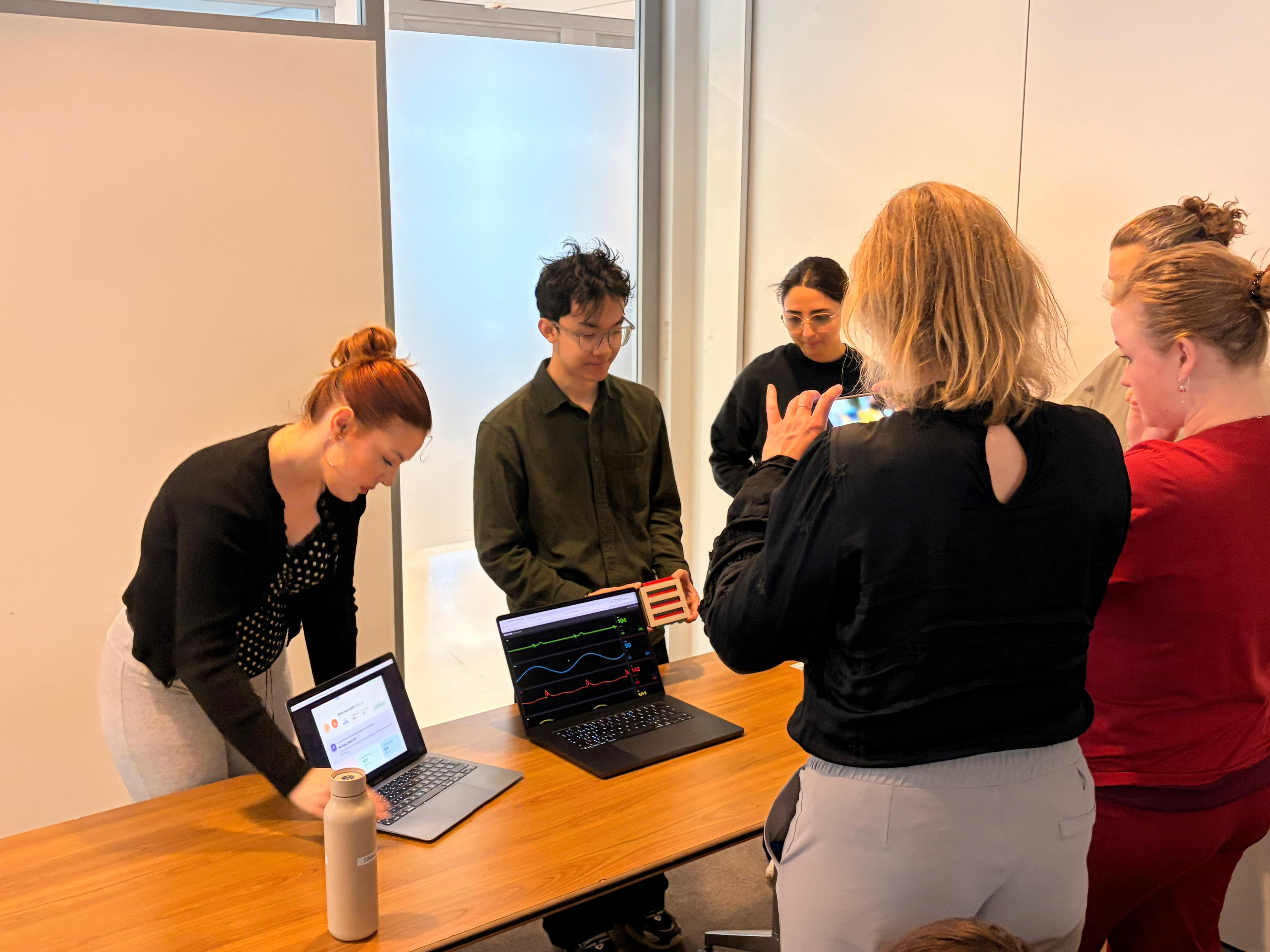
"Should we adjust this patient's limits?"
Visible status sparked the conversation between nurse and doctor.
Keep monitor status visible & shared.
"If I already set it on the monitor, why update it again?"
A separate object duplicated work nurses had already done.
Automate status from monitor data.
"I don't change all the limits at once."
Nurses adjust each vital independently, not as one state.
Show status per parameter (HR, SpO₂, BP, RR).
"A total count doesn't tell me where to go."
Staff needed to know which bed needs follow-up.
Add bed- & parameter-level detail.
Kept
Changed
Removed
10Where it goes next
Now
Physical bedside cue + team visualisation, tested as one loop.
→Next
Status linked to Philips monitor data — no duplicate updates.
→Then
Review status read automatically, per vital parameter.
→Later
Bed- and parameter-level overview across the unit.
→Why this matters for Philips
11What we learned
01
02
03
The strongest intervention wasn't the most advanced one — it was the one that fit naturally into how nurses already work.
12Reflection
Before
I often judged ideas through originality and novelty.
After working with nurses
The strongest interventions are often the least visible ones.
The most successful concept wasn't the most technologically advanced — it was the one that asked for the least additional attention.
Alarmease was a 10-week concept, not a deployed product — no alarm reduction or patient-safety outcome was measured. Evidence is directional: one senior-nurse interview, co-creation with two nurses and one physician, and formative testing with two nurses. Interface data shown is illustrative; interface elements are recreations, not proprietary screens.
Team: Negin Bokaeiolmousavi, Barbora Halanová, Andyka Jonathan, Duco Boomsma. I initiated the operational data-visualisation direction and developed it with Barbora. Partners: OLVG East, Amsterdam, and Philips.
AI tools supported writing refinement, early visual exploration, and contextual image generation. Research synthesis, decisions, and reflection were completed by the design team. AI-generated images and illustrative data are labelled where used.